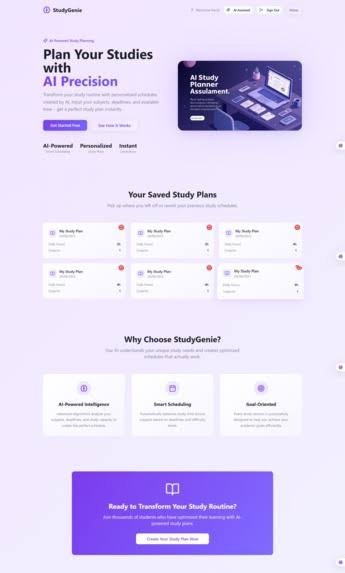
AI Study Planner:A Complete Beginner”
AI Study Planner: A Complete Beginner’s Guide
What Is an AI Study Planner?
An AI study planner is a tool (app, website, or software) that uses artificial intelligence to create, organize, and adjust your study schedule automatically. Instead of you manually figuring out “what should I study today and for how long,” you feed it information — your subjects, deadlines, exam dates, available time, and learning goals — and it builds a personalized plan for you.
Think of it as the difference between a paper calendar and a smart assistant. A paper planner just holds the schedule you wrote. An AI planner builds the schedule, watches how you’re doing, and rebuilds it when things change (you miss a session, a topic takes longer than expected, an exam gets moved).
Ai Study planner:

AI Study Planner:A Complete Beginne
How Does It Actually Work?
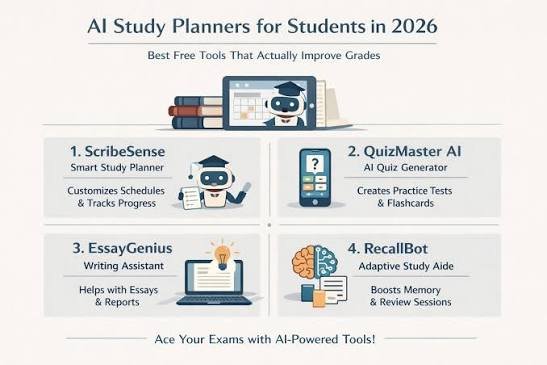
Most AI study planners follow a similar core process:
- Input collection — You tell it what you need to learn (subjects, topics, textbooks, syllabus), your deadlines (exam dates, assignment due dates), and your constraints (hours available per day, days off, other commitments).
- Plan generation — The AI breaks your material into manageable chunks and distributes them across your available time, often factoring in difficulty level and how much time each topic likely needs.
- Scheduling logic — Many tools apply learning-science principles like spaced repetition (reviewing material at increasing intervals) and interleaving (mixing subjects rather than studying one thing for hours straight), because these techniques improve retention.
- Tracking & feedback — As you complete (or skip) sessions, the tool tracks your progress.
- Adaptive re-planning — If you fall behind, ace something faster than expected, or a deadline shifts, the AI adjusts the rest of the plan automatically instead of leaving you with a broken schedule.
Key Features to Know
| Feature | What It Does |
|---|---|
| Automatic scheduling | Generates a day-by-day or week-by-week study timetable |
| Spaced repetition | Resurfaces topics at optimal intervals so you don’t forget them |
| Progress tracking | Shows what you’ve completed, what’s overdue, and what’s coming up |
| Adaptive adjustment | Reshuffles your plan when life gets in the way |
| Deadline/exam integration | Works backward from due dates to make sure everything’s covered in time |
| Focus/break timers | Some include Pomodoro-style work/rest cycles |
| Analytics | Insights into your study habits — best focus times, subjects you avoid, etc. |
| Calendar sync | Syncs with Google Calendar, Outlook, etc., so everything’s in one place |
Not every tool has all of these — some are simple scheduling apps with light AI features, others are full adaptive learning platforms.
Why Use One? (Benefits)
- Removes decision fatigue — you don’t waste energy deciding what to study each day
- Better time management — realistic plans based on your actual available hours
- Improved retention — built-in spaced repetition means less cramming, more remembering
- Accountability — visual progress tracking keeps you honest about what’s done
- Flexibility — adjusts automatically instead of falling apart after one missed day
- Reduces overwhelm — big syllabi get broken into small, manageable daily tasks
Limitations to Keep in Mind
- It’s only as good as your input — vague or inaccurate info about your workload leads to a bad plan
- It won’t force discipline — the AI can build the perfect schedule, but you still have to follow it
- Not a replacement for understanding — it organizes when you study, not how well you understand the material
- Over-reliance risk — some students benefit from also learning to plan manually, since that’s a transferable life skill
Who Should Use an AI Study Planner?
- Students juggling multiple subjects, exams, or a heavy course load
- People who struggle with procrastination or don’t know where to start
- Anyone preparing for a big exam (board exams, standardized tests, professional certifications) with a lot of material to cover
- People who’ve tried planners before but abandoned them because life got messy and the plan couldn’t adapt
How to Choose One (Beginner Checklist)
When picking a tool, ask:
- Does it sync with my calendar and deadlines?
- Can it adjust automatically if I fall behind?
- Does it support spaced repetition or just basic scheduling?
- Is it free, freemium, or paid — and is the free tier actually usable?
- Does it work on my devices (phone, laptop, tablet)?
- Is the interface simple enough that I’ll actually keep using it?
Start simple. A tool with too many features can be as overwhelming as no plan at all.
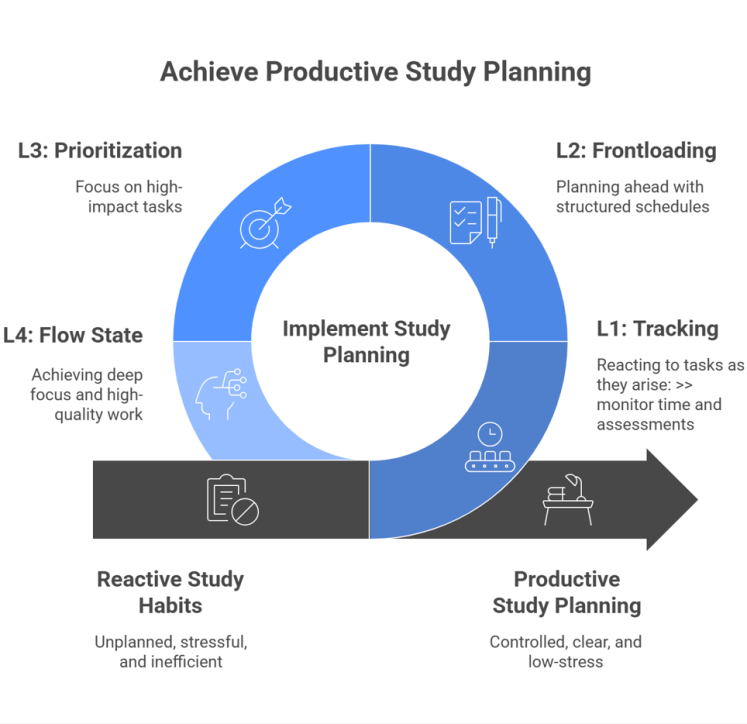
Achieve productive Ai Study Planner:
A simple steps of study planning:
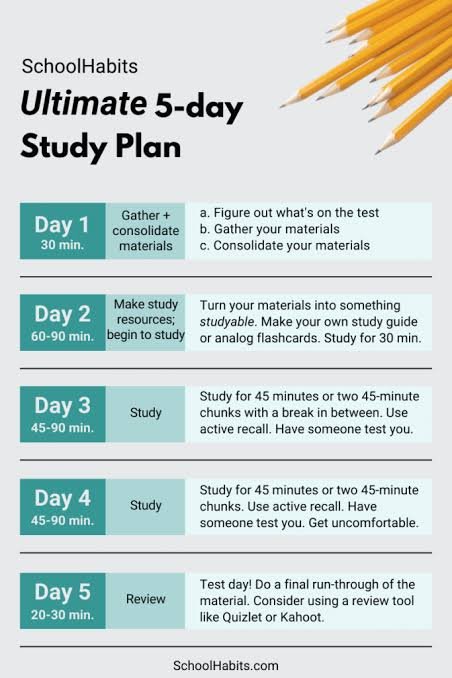
Getting Started: A Simple First Setup
- List every subject/topic you need to cover and roughly how much material each has
- Enter your real deadlines (not aspirational ones)
- Be honest about how many hours per day you can actually study
- Let the AI generate the first draft of your plan
- Follow it for a week, then review: was it realistic? Too packed? Too light?
- Adjust your inputs (not just the plan) based on that first week — this is where most of the “learning” happens, on both sides
Quick Summary
An AI study planner takes the guesswork out of scheduling your studying. It builds a plan based on your goals and time, applies proven learning techniques like spaced repetition, and adapts when things change — so you spend less time planning and more time actually learning. The tool handles the organizing; the effort is still on you.AI Study Planner: A Complete Beginner’s Guide
Not every tool has all of these — some are simple scheduling apps with light AI features, others are full adaptive learning platforms.
Start simple. A tool with too many features can be as overwhelming as no plan at a
AI Study planner: plan your